
Portal access
The Studio 12 app is retiring at the end of October 2026. Use the portal instead: paying, registering, absences and your account details are all there.
Families: Client Portal
Pay or update billing, register for classes, report an absence, and update your contact details.
Teachers: Staff Portal
Take attendance, see your class lists and log your hours.
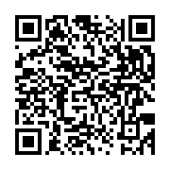
Scan to open the Client Portal
Put the portal on your home screen
Open the portal link above on your phone first, then:
iPhone (Safari)
- Tap the Share button (the square with an arrow).
- Scroll down and tap Add to Home Screen.
- Tap Add.
Android (Chrome)
- Tap the menu (the three dots, top right).
- Tap Add to Home screen.
- Tap Add.
First time logging in? Use “Forgot password” with the email address you gave Studio 12. Questions: admin@s12.ca or (306) 955-6121. New to Studio 12? See classes and register.